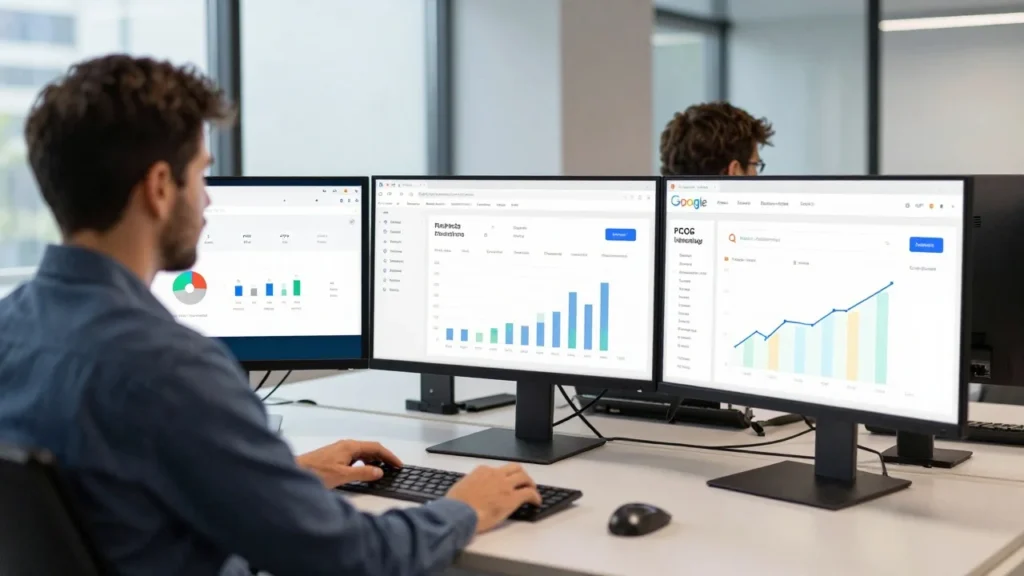
If you’re asking what a CRM is, the simple answer is that it is software that helps a business keep customer information, conversations, sales opportunities, and follow-up tasks organised in one place. Instead of relying on separate spreadsheets, inboxes, and notes, a company can use one system to see what has happened with each customer and what should happen next.
Direct answer: Customer relationship management (CRM) software stores and organises information about customers and potential customers. It can record contact details, emails, calls, purchases, sales opportunities, support requests, and planned follow-ups. Businesses use this shared information to manage relationships, coordinate teams, track sales, and provide customers with more consistent service. There is more on this in How to Write Meeting Minutes.
| Key point | Simple explanation |
| Full meaning | Customer relationship management |
| Main purpose | Organise and manage customer relationships |
| Common users | Sales, marketing, service teams, and business owners |
| Information stored | Contacts, conversations, deals, tasks, and customer history |
| Main benefit | Gives teams one organised view of customer activity |
| Suitable for | Small businesses through to large organisations |
What Is a CRM in Simple Terms?
Think about a growing business with 100 potential and existing customers. One employee has customer names in a spreadsheet. Another has sales conversations in an email inbox. Someone else keeps follow-up dates in a notebook. A customer calls, but the person answering has no idea what was discussed the previous week.
Customer relationship management software brings all of these records together. A salesperson can open a customer profile and see contact details, previous conversations, open opportunities, notes, and planned tasks. Customer service staff can check earlier issues before responding. Managers can see which opportunities are progressing and which need attention.
Salesforce describes customer relationship management as a system for managing interactions with current and potential customers. Microsoft similarly describes it as a centralised, data-driven way to manage and store customer information.
The key idea is not simply to store names. The system creates an organised history of the relationship between a business and each customer.
How Does Customer Relationship Management Work?
Most systems start with a customer or prospect record. That record might contain a person’s name, company, telephone number, email address, job title, and lead source. As the relationship develops, more information can be added to the record.
For example, the system may record:
- emails and telephone calls;
- meetings and notes;
- products or services discussed;
- quotes and sales opportunities;
- previous purchases;
- customer service requests; and
- reminders for future contact.
This means important information does not disappear when an employee forgets a conversation or leaves the company.
Modern systems can also connect with email, websites, marketing platforms, customer service tools, and other business software. SAP notes that current platforms can bring data from multiple customer touchpoints into a single profile.
For businesses attracting customers through digital content, this can complement an inbound marketing strategy by helping teams manage leads after they make contact.
What Does the Software Usually Include?
Features vary between products, but several functions appear across many popular platforms.
Contact Management
A contact database keeps customer and prospect information together. Employees can search for a record instead of checking several disconnected sources.
Sales Pipeline Tracking
A sales pipeline shows where potential deals sit within the buying process.
A business might use stages such as new enquiry, qualified lead, proposal sent, negotiation, won, and lost. Moving opportunities through these stages gives managers a clearer view of current sales activity.
Task and Follow-Up Management
A missed follow-up can mean a missed sale. Users can create reminders for calls, meetings, emails, contract renewals, and other actions. Some platforms can also automatically trigger routine tasks.
Communication History
Past emails, calls, meetings, and notes can appear within a customer record. This helps another employee understand the history before contacting that person. It can also reduce instances where customers have to repeat the same information.
Reports and Dashboards
Reporting tools can show data such as open opportunities, sales activity, conversion rates, and pipeline value. Service teams may also combine customer records with measures such as retention, churn, satisfaction, and customer effort. Magzonia’s guide to customer satisfaction metrics explains how several of these measures answer different questions.
Why Do Businesses Use These Systems?
The biggest advantage is organisation, but the value goes further. One shared customer record can help different teams work from the same information. A salesperson does not have to ask marketing for an old campaign response. A service employee can review previous conversations before responding to a support request.
Businesses commonly use the software to:
- keep customer data in one place;
- reduce missed follow-ups;
- track leads and opportunities;
- make sales activity easier to monitor;
- coordinate sales, marketing, and service teams;
- record relationship history;
- identify customers who may need attention; and
- create reports from customer and sales data.
IBM notes that customer relationship management technology can help organisations document, track, and manage relationships with existing and potential customers.
This can become more useful as a company grows. A sole trader with ten customers may be able to manage with a spreadsheet. A business handling hundreds of enquiries across several employees may find that approach much harder to maintain.
If you’re still deciding what type of company to build, Magzonia’s guide to business ideas from home provides practical UK examples and startup considerations.
A Simple CRM Example

Imagine a small web design agency receives an enquiry from Sarah, who wants a new e-commerce website. Sarah’s details are entered into the customer system when she completes a form on the website. The agency records her requirements and assigns the opportunity to a salesperson.
After a discovery call, the salesperson adds notes and schedules a follow-up for Friday. A proposal is sent, and the opportunity moves to the proposal stage.
Sarah calls three days later while the original salesperson is unavailable. Another team member opens her record and can see the previous call notes and proposal.
If Sarah becomes a customer, that same record can later contain project communications, renewal information, and service requests. The practical benefit is simple: the relationship does not depend on one person’s memory or inbox.
What Are the Main Types of CRM?
Customer management platforms can vary depending on a business’s needs.
| Type | Main focus | Useful when |
| Operational | Day-to-day sales, marketing, and service activity | You need to manage leads, tasks, and customer contact |
| Analytical | Customer and sales data analysis | You need reports, trends, or forecasting |
| Collaborative | Sharing customer information across teams | Several departments interact with the same customers |
Many modern products combine elements of all three.
Businesses should focus less on labels and more on the problems they need to solve. A five-person company may need contact management and follow-up reminders. A larger organisation may need automation, detailed reporting, permissions, integrations, and multiple sales pipelines.
Does a Small Business Need a CRM?
Not every new business needs dedicated customer management software from its first day.
A spreadsheet can work when the customer list is small, one person handles most communication, and there are only a few active opportunities. Problems can begin when important information becomes difficult to find, or follow-ups start getting missed.
Signs that a dedicated system may help include:
- several people contacting the same customers;
- leads being forgotten;
- customer data being spread across several files;
- no clear view of the sales pipeline;
- difficulty measuring sales activity;
- repeated customer questions because their history is not visible; and
- too much time being spent updating spreadsheets manually.
A growing business should choose a tool based on its current process rather than buying the product with the longest feature list.
Companies that have not yet formally established their operations may also find Magzonia’s business registration guide useful when planning their wider setup.
How Is a CRM Different From a Spreadsheet?
A spreadsheet stores rows and columns of data. Customer management software is designed around relationships, interactions, activities, and workflows.
A spreadsheet might tell you Sarah’s email address and company name. A dedicated platform can also show her last conversation, current opportunity, assigned employee, next follow-up, past purchases, and support history.
Spreadsheets remain useful for simple lists and analysis. They become harder to manage when several employees need to update customer records or track multiple interactions.
That distinction is often the easiest way to understand what is a CRM in practice: it turns a contact list into a working system for managing customer relationships.
How to Choose the Right CRM System
Start with your process, not the software. Write down how a new enquiry enters the business, who handles it, which steps lead to a sale, and what happens after the purchase. This helps reveal which features matter most.
Then assess products against practical questions:
- Is it easy enough for your team to use every day?
- Can it manage your sales process?
- Does it connect with the tools you already use?
- Can you import existing customer information?
- Are the reports easy to understand?
- Can access permissions be controlled?
- What will it cost as your team grows?
- Can you export your data if you change providers?
A complicated system that nobody updates will produce poor information. A simpler tool that is used consistently can be far more useful.
The Bottom Line
Customer relationship management software provides a business with a structured way to track customers, conversations, opportunities, and next actions.
You do not need the most complicated platform available. You need a system that fits the way your team works and makes useful information easy to find.
If customer details are scattered across spreadsheets, inboxes, notebooks, and individual memories, mapping your current sales and service process is a sensible next step. Once you know where information is being lost, you can decide whether a dedicated customer management system would solve the problem.
Frequently Asked Questions
It is used to organise customer and prospect information, record interactions, track sales opportunities, manage follow-ups, and share relationship history across a business.
CRM stands for customer relationship management. The term can describe both the wider approach to managing customer relationships and the software used to support that work.
No. Sales teams are common users, but marketing and customer service teams can also benefit from shared customer records. Business owners and managers may use reporting tools to monitor activity and performance.
Yes. Small businesses can use it to keep contacts organised and avoid losing track of enquiries. Whether a dedicated system is worthwhile depends on the volume and complexity of customer interactions.
Not quite. A database stores information. Customer management software uses stored information alongside activities, communications, tasks, sales stages, reporting, and other tools designed around customer relationships.
Relevant information may include contact details, communication history, sales activity, customer preferences, purchases, support records, and agreed follow-ups. Businesses should collect only information they have a valid reason to keep and should manage personal data responsibly.